Guides · Updated 29 Sep 2026
WORKDAYS formula on monday.com: count working days, and what to check
The WORKDAYS function counts the days between two dates without the weekend. Teams that use it for a delivery estimate, a leave request or a deadline soon ask three more things: which days count as the weekend, what happens with holidays, and how to act on the number.
The short answer
In a Formula column, WORKDAYS({End date},{Start date}) returns the working days between two dates, end date first. monday.com's Formula Use Cases article says working days follow your account settings: Monday to Friday or Sunday to Thursday. The articles we read do not say whether holidays are skipped or whether the start day is counted, so test both on your own board. A formula column cannot trigger an automation; monday.com's workaround is to copy the result into a regular Numbers or Text column.
The syntax, from monday.com's own articles
The Formula column is available on the Pro and Enterprise plans, according to monday.com's article on it. Column names go in braces, written exactly as they appear on the board, capitals included. In the list of formula functions, WORKDAYS is written WORKDAYS({TO_DATE}, {FROM_DATE}): the end date first, the start date second. The same list has WORKDAY, which adds working days to a date and returns the new date, with the example WORKDAY({Date column}, 20).
Which days count as working days
The Formula Use Cases article says working days are "defined, according to your account settings, as Monday to Friday or Sunday to Thursday". The setting is in Administration, under Account: the Administration article says you choose the weekend, Friday-Saturday or Saturday-Sunday. A separate, board-level option, Enable weekend selection, lets a Date or Timeline column accept weekend dates; that article does not mention WORKDAYS.
Formulas to copy
Replace the column names with your own.
Working days between two dates. The Formula Use Cases article gives this one for a vacation request board:
WORKDAYS({To},{From})
and this one for a Timeline column, where #End and #Start point at the two dates inside it:
WORKDAYS({Timeline#End},{Timeline#Start})
The same article also offers a no-formula duration: connect a Numbers column to the Timeline column (three-dot menu, Settings, Connect to a Timeline column) and monday.com calculates the duration in days. It presents the formula as the option for excluding weekends.
A date some working days ahead. WORKDAY adds working days to a date:
WORKDAY({Start date}, 5)
Days left, or days open, with TODAY(). monday.com's example for calendar days is ROUND(DAYS({Due Date},TODAY()),0), and it notes that TODAY() needs nothing inside its parentheses. These two use the same shape with WORKDAYS, end date first:
WORKDAYS({Due Date},TODAY()) for the working days left
WORKDAYS(TODAY(),{Date requested}) for the working days an item has been open
These two are our adaptation. The articles show WORKDAYS with two columns and TODAY() with DAYS, not the two together, so check one item by hand before you trust the column.
Edge cases to test first
- Is the start day counted? The articles do not say. The free working days calculator counts both dates. Try a Monday and the Friday of the same week in both; if they differ by one, that is the rule to remember.
- Empty dates. The Formula Column article says NaN means the formula is trying to calculate text or empty values, that IFERROR is not supported, and that an IF check, for example with LEN, can handle blank fields before the rest of the calculation runs. Test the check on an item with an empty date.
- Reversed dates. Every example puts the end date first. The articles do not say what a reversed pair returns.
Holidays
The WORKDAYS entries in the articles above show two dates and no holiday argument, and none of them says whether holidays are skipped. That is not proof either way. A monday.com community feature request, marked Gathering Feedback, reports that WORKDAYS does not recognize the holidays in the account calendar. Run a range that spans a public holiday and compare it with a calendar.
What monday.com does document about holidays sits elsewhere. A work schedule in Administration can designate specific holidays or company-wide days off, but the Administration article says it "will only impact the Workload view and widget". The resource schedules article describes a work schedule and a separate company time off (holiday) schedule for each resource, on Pro and Enterprise, in early release. On monday service, the SLA column counts only the hours defined in the account's default schedule. For a one-off count with a country's public holidays left out, use the working days calculator.
Using the number in an automation
According to Formula Use Cases, a formula column is read-only, so it cannot trigger an automation, and its output is not always recognized by automated emails, notifications, charts or dashboard widgets. The workaround it gives: add a regular Numbers or Text column, create a workflow that copies the formula's value into it whenever the relevant data on the item changes, and point the automation or widget at that column. The article ties the copy to changes in the item's data, and does not say how a value that changes only because the date moved, as with TODAY(), gets copied, so test that case.
Where Stale & SLA fits
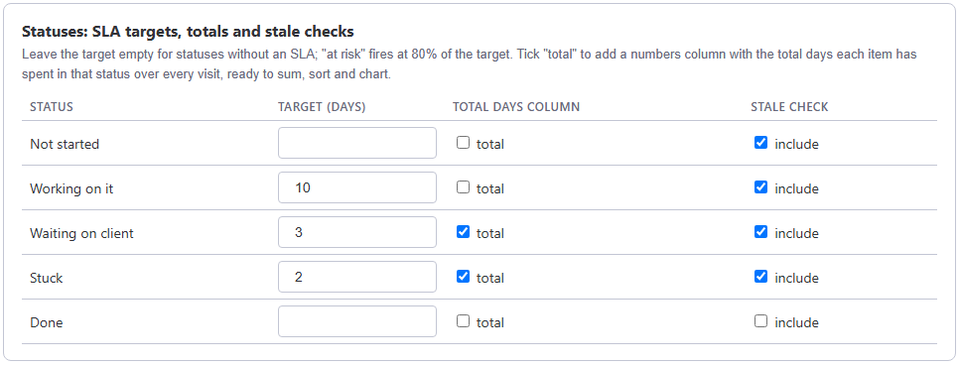
WORKDAYS answers a question about two dates on one item. It does not measure how long an item sat in each status, or hold a target per status. Stale & SLA does that on any board that has a status column. With business hours on, a board has its own time zone, work days (Sunday to Thursday works), working hours and the holidays you list, and Days in current status, Days since last activity, the Total days column of each status you track and SLA targets are all counted in that calendar. See working days and holidays on monday.com.
The numbers are written to ordinary Numbers columns, not formula columns, so you can filter, sort, sum and chart them. The at-risk and breached triggers connect to monday.com's own notify actions, and escalation steps notify a People column; SLA tracking on monday.com has the details. Use WORKDAYS for a quick count between two dates, and the app when the question is time spent in statuses, or a target that should raise an alert.
Frequently asked
- Which date goes first in the WORKDAYS formula?
- The end date. monday.com's function list writes WORKDAYS({TO_DATE}, {FROM_DATE}), and its Formula Use Cases article uses WORKDAYS({Timeline#End},{Timeline#Start}) for a Timeline column.
- Which days does WORKDAYS treat as the weekend?
- The Formula Use Cases article says working days follow your account settings: Monday to Friday, or Sunday to Thursday.
- Does WORKDAYS skip holidays?
- The monday.com articles that document it do not mention holidays, and a monday.com community feature request reports that it does not recognize the holidays in the account calendar, so test a range that spans one. Work schedules in Administration can hold holidays, but the Administration article says they only impact the Workload view and widget.
- Can a WORKDAYS formula trigger an automation?
- Not directly. monday.com says a formula column is read-only and cannot act as a trigger. Its workaround is a workflow that copies the result into a regular Numbers or Text column, which the automation then watches.
- Which plans include the Formula column?
- monday.com's Formula Column article says the Pro and Enterprise plans.
Stale & SLA adds time in status, stale alerts, SLA targets and escalations to any monday.com board. Set-up takes about two minutes per board.
Stale & SLA is in review for the monday.com Marketplace. Until monday.com approves the listing, the install screen says the app has not been reviewed yet. How it handles your data.