Guides · Updated 24 Sep 2026
Stale & SLA vs Time in Status for monday.com
Time in Status by SaaSJet is the most installed time-in-status app on the monday.com marketplace, with detailed reports and charts. Stale & SLA answers a neighbouring question: which items are stuck, and who should hear about it. This page compares the two from their own documentation, so you can pick the one that fits your board.
The short answer
Both put time in status on the board and can count only working time. Choose Time in Status for reports and charts by person, team or board, and SLA goals down to the minute. Choose Stale & SLA to find items nobody has touched, and to have at-risk and breached SLAs notify and escalate to the right people through monday.com automations.
Side by side
| Time in Status | Stale & SLA | |
|---|---|---|
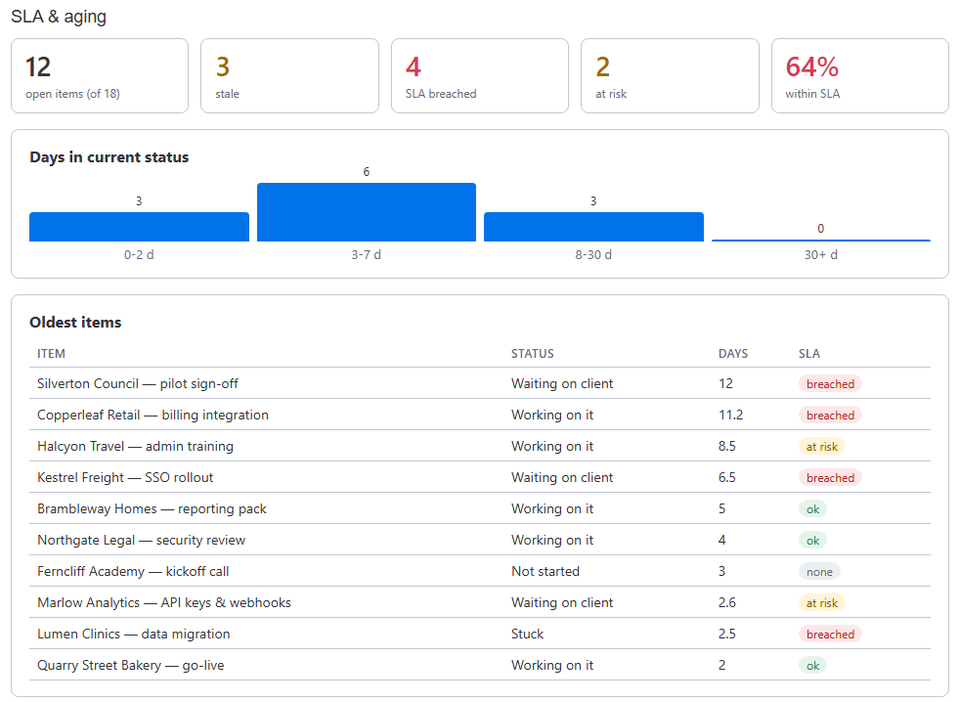
| Time in each status | Columns on the board from its integration, plus reports and charts: status counts, transition counts, time by person or by board | Numbers columns on every item (Days in current status, Days since last activity, a total per status), an item view with the status timeline, and a dashboard widget |
| Breakdowns | By item, person, team, board or status | By status and by board group |
| Working time | Work calendars: work days, hours, breaks, time zone and holidays | A calendar per board: work days, working hours, time zone and holidays |
| SLA targets | Goals per stage in days, hours or minutes, several per stage | A target per status, in days; at risk once 80% of it is used, then breached |
| When an SLA slips | Items turn yellow near the limit and red when over; its help center describes no notifications | Automation triggers for at risk and for breached, and an escalation ladder that notifies a people column, step by step |
| Items nobody touched | Measures time in each status | Days since any activity on the item (a status change, a column edit or its creation), a stale threshold, and a trigger after N quiet days |
| Price | By the number of users in the monday.com account: $3 a month for up to 3 users, $74 a month for 100 | Free during launch, with every feature |
| On the marketplace | About 2,800 installs and an Editor's choice label | New: in monday.com's review |
Time in Status details come from its monday.com marketplace listing and its help center, read in September 2026, and may have changed since. Stale & SLA details describe the live app. Time in Status is a product of SaaSJet; TrueCrane is not affiliated with it.
When Time in Status fits better
- You need reports by person, team or board, or counts of status transitions.
- You set SLA goals in hours or minutes, or several goals for one stage.
- Your working day has breaks that must not count.
- You prefer an app that thousands of accounts already run.
When Stale & SLA fits better
- Your problem is items that nobody has touched, not only slow stages.
- You want someone told when an SLA is at risk or breached, and the item escalated step by step while nothing moves.
- You want to start monday.com automations from stale items and from at-risk or breached SLAs.
- You want it free while it launches.
Price for a team of 10
Time in Status is priced by the number of users in the monday.com account, not by how many use the app: an account with 10 users pays $10 a month, or $7 a month billed yearly. Stale & SLA is free, with every feature, while it launches.
Switching, or running both
There is nothing to move. Stale & SLA reads each board's activity log, so items that existed before you installed it get their numbers too. The two apps can also sit on the same board: Stale & SLA writes only the numbers columns it creates and leaves every other column alone, so you can compare its numbers with the reports you already use before deciding.
Frequently asked
- Can I try Stale & SLA without installing it?
- Yes. The demo runs the app's real views on a sample board in your browser, with no monday.com account.
- Does Stale & SLA break time down by person?
- Not yet. Today it breaks numbers down by status and by board group.
- Where does Stale & SLA keep my data?
- On monday.com's own hosting, in the EU. The security page has the details.
Stale & SLA adds time in status, stale alerts, SLA targets and escalations to any monday.com board. Set-up takes about two minutes per board.