Guides · Updated 24 Sep 2026
Cycle time on monday.com: how long work really takes
Cycle time is how long an item takes from start to finish. On a monday.com board the simplest honest version runs from the item's creation to the moment it reached a finishing status such as Done.
The short answer
On monday dev, the Engineering Performance dashboard reports cycle time from when a task moves to in progress to the pull-request merge for teams connected to GitHub, and monday sidekick's historical trends can chart cycle time on Pro and Enterprise. For creation-to-Done cycle time on other boards, the help-center articles we read describe no built-in report. You can stamp a finish date with an automation and subtract the creation date in a formula, or let an app compute it from the status history, with the median next to the average so one very old item does not skew the picture.
The Kanban Guide by Daniel Vacanti and John Coleman defines cycle time as the elapsed time between when a work item started and when it finished. It is one of the four flow metrics the guide asks every Kanban system to track, with WIP, throughput and work item age.
Why the average is not enough
One item that sat for three months pulls the average up for everyone. The median, the time within which half the items finished, is steadier. The longest cycle shows how bad the worst case got. Read together, they tell you more than any one of them.
The same guide sets its service level expectation from past cycle times as a period and a probability, for example that 85% of work items finish in eight days or less. A percentile says what most items do; an average cannot.
The do-it-yourself version
Add a Creation log column, a date column stamped by an automation when the status becomes Done, and a formula for the difference, then average it on a dashboard. Items finished before the automation existed are missing, and a reopened item keeps its old finish date.
How Stale & SLA does it
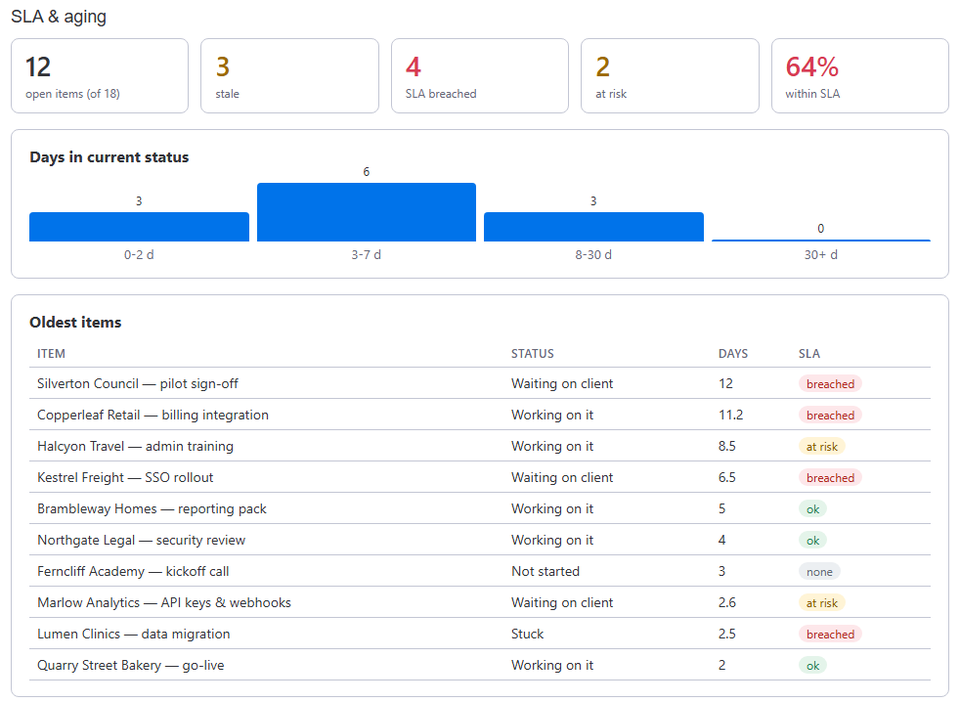
The SLA & aging dashboard widget shows the board's cycle time over the last 90 days: the median, the average and the longest time from creation to a finishing status, and the same per group, so you can compare teams or stages. The time each item spent in each status along the way is in the Total days columns and the Status timeline item view.
Frequently asked
- Which statuses count as finished?
- The statuses you leave out of the stale check in the board's settings, such as Done or Closed. An item that reaches one of them is finished.
- Why 90 days?
- Long enough to hold a few months of work, short enough that it describes how the team works now.
Stale & SLA adds time in status, stale alerts, SLA targets and escalations to any monday.com board. Set-up is one status column and a Save on each board.
Stale & SLA is in review for the monday.com Marketplace. Until monday.com approves the listing, the install screen says the app has not been reviewed yet. How it handles your data.